


Word Revel: Cross Words Puzzle
3.3116.00 Reviews
App Specs
- Version
- 1.2.282
- Updated On
- License
- Free
- Downloads
- 100,000+
- Developer
- TREASURETECH CO PTE. LTD.
- Categories
- Word
- Platform
- Android
Screenshots
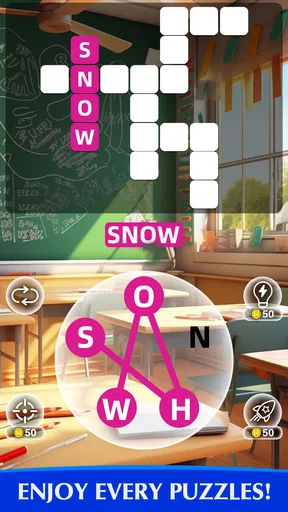
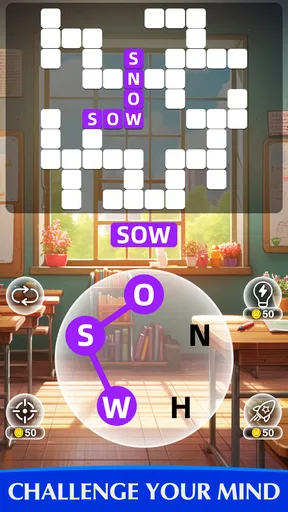
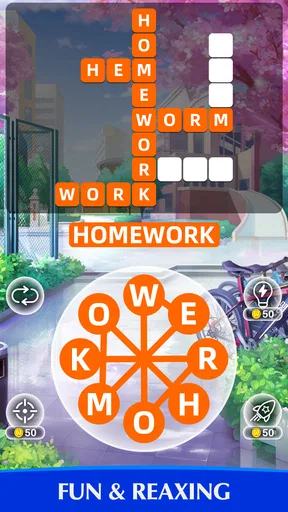
 Analysis by AppCompare
I like keeping a word puzzle around for the small gaps in a day: a quiet stretch before breakfast, a wait in the car, or a few minutes when everyone else is choosing what to watch. Word Revel: Cross Words Puzzle suits that kind of casual session. It is a word game built around crossword-style challenges, and its appeal is simple: open it, focus on letters for a while, then put it down when real life calls.
That also makes it easy to imagine on a shared household device. One person can take a turn while the kettle boils, and someone else can try later, provided everyone is clear about whose progress or activity they are using. I would treat it as an individual game first and a conversation starter second; a shared screen does not automatically mean shared progress, and I would not assume the app provides separate household profiles.
Getting Started with Word Revel
Diving into Word Revel: Cross Words Puzzle is like opening a treasure chest of word challenges. The app's interface is clean and user-friendly, making it super easy to navigate. From the moment you launch the app, you’re welcomed with a vibrant and uncluttered home screen. It’s inviting and doesn’t overwhelm you with too many options.
The onboarding process is smooth as silk. Even if you’re not a tech-savvy person, you’ll find yourself breezing through the initial setup. The app offers a brief tutorial that gently guides you on how to tackle the puzzles, and in no time, you’re ready to jump into your first crossword.
Gameplay and Features
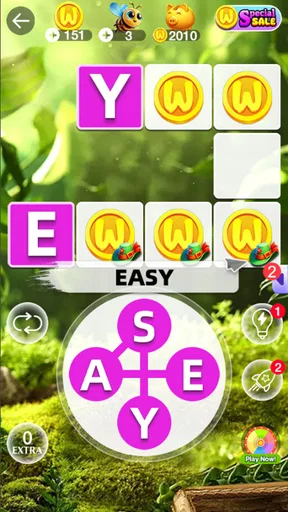
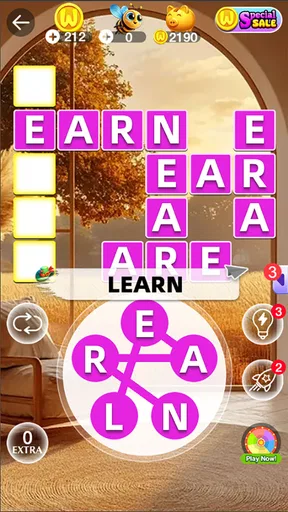
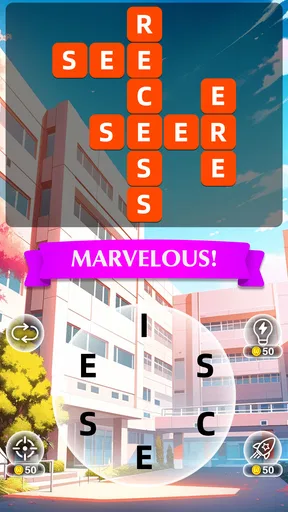
Now, let's talk about the heart of the app – the gameplay. The puzzles in Word Revel are thoughtfully crafted, offering a mix of easy, medium, and difficult levels. This means you can choose a puzzle that matches your mood and skill level. Whether you’re a newbie or a crossword aficionado, there’s something for everyone.
One feature that I genuinely appreciate is the daily challenge. Each day, you’re presented with a fresh puzzle that adds an element of excitement and keeps you coming back for more. It's like your morning coffee, but for your brain.
The app also boasts a hint system that’s incredibly helpful when you’re stuck. You can earn hints by completing puzzles or watching short ads, which is a fair trade-off for a free app. And if you’re someone who likes a bit of competition, you can join the leaderboard to see how you stack up against other players worldwide.
Worth Reading Before You Choose

EA SPORTS FC Mobile 26 Is a Bigger Football Game, but It Takes Time

Flipboard Shows What News Apps Must Do Beyond the Feed

Switching to Android Auto Means Rethinking Your Driving Routine

Google Calendar Makes a Crowded Week Easier to Manage

Ludo King Makes the Most of the Minutes Between Plans

Baby Panda World Brings Quick Play to Modern Phones, but Its Game Library Feels Busy
For shared play, I’d make a small house rule before anyone starts: decide whether people are taking turns on one run or simply passing the device around for separate casual sessions. A leaderboard and challenges can make comparison part of the fun, but they can also turn a relaxing game into a score contest. If someone in the household would rather solve at their own pace, there is no need to make every puzzle a competition.
A useful way to handle a stubborn clue is to pause before spending a hint. I often find it helps to scan the crossing letters, say possible answers aloud, and return to the clue after a short break. That keeps the hint system for moments when I’m genuinely stuck, rather than using it as the first move. Since hints can also involve watching ads, this approach can make a short session feel less interrupted.
The game’s daily puzzle is a natural fit for a simple routine, but I wouldn’t treat it as a commitment. It works well as a single shared “what can we solve before breakfast?” moment, or as a solo habit during a commute. If schedules differ, the household can simply play at different times instead of trying to coordinate every day; the point is a pleasant mental break, not another task to keep up with.
Design and Aesthetics
Let’s not overlook the design aspect. The app’s aesthetics are a major win. The color scheme is pleasing to the eye, and the fonts are easy to read, which is crucial when you’re staring at letters for extended periods. Plus, there’s a night mode option for those late-night puzzle sessions, ensuring your eyes don’t get strained.
One thing I noticed is that the app runs smoothly without any noticeable lags or crashes. This is a huge plus because there’s nothing more frustrating than an app freezing in the middle of a game.
For a shared device, the simple presentation is useful because a new player can get oriented without needing a long explanation. Still, I would check which person is holding the device before a session begins and avoid assuming that a family member’s puzzle history or scores will be kept distinct. That is a practical boundary, not a reason to avoid the game: it just helps prevent accidental mix-ups when several people take turns.
The visual comfort also makes a difference when deciding where to play. A brief round in a bright room is an easy fit, while a long session on a phone late at night may be less comfortable even with a night theme. I’d keep the screen at a readable size and take a break if the grid starts to feel tiring. For someone who wants a large display or a more substantial crossword layout, a dedicated puzzle book or a larger-screen game may be a better match.
Community and Social Interaction
If you’re someone who enjoys a bit of social interaction within your apps, Word Revel has you covered. You can connect with friends, challenge them to beat your score, and even share your achievements on social media. It adds a fun, competitive edge to the game.
Moreover, the app's developers are quite active in the community, frequently updating the game with new puzzles and features. They also encourage feedback, which shows their commitment to improving the user experience.
In a household, social options are best treated as optional extras rather than the reason to install it. A parent and child can compare a result or talk through a tricky word without turning the session into a public post or a contest. If a child is using the device, I’d keep social sharing and friend interactions within the boundaries the family is comfortable with, and have an adult help with those choices rather than assuming every feature is suitable for every age.
The audience label is Everyone, so the game is presented for a broad age range. That can make it easier to offer as a casual family activity, but it does not tell me how every child will respond to ads, competition, or time spent on a screen. I’d choose the session length myself for younger players and stay nearby if they need help understanding a clue or deciding whether to use a hint.
How It Fits Among Word Games
Compared with a paper crossword, this is more convenient when I have only a few minutes and want the game ready on a phone. The daily challenge and hint option make it feel more guided than simply opening a puzzle page, while a paper book has no leaderboard or ad break and is easier to share without worrying about who is signed in. If quiet, screen-free solving is the priority, paper remains the better choice.
Compared with word-search games, the crossword format asks me to think about how answers fit together rather than only spot a word in a field of letters. That makes it more satisfying when I want clues to steer my thinking, though it may be less appealing to someone who prefers quick visual scanning. Players who want a broad collection of different word-game modes may also prefer a multi-game app; this one is most compelling when crossword-style solving is what they came for.
The scale of the game is part of its practical appeal: the store summary advertises more than five thousand levels, so it is designed to offer a long runway rather than a tiny set of puzzles. I would not mistake a large level count for proof that every puzzle will feel fresh or equally challenging, though. The better question is whether the clue style and pace suit you after a handful of sessions.
Cost, Age, and Everyday Trade-Offs
The game is free to install, with in-app purchases ranging from $0.99 to $364.99 per item. That wide range is worth noticing in a shared household: I would make sure the person playing understands that optional purchases exist and set the usual device-level purchase safeguards if children use the device. The free starting point is convenient, but “free” does not mean every possible extra is cost-free.
The developer is TREASURETECH CO PTE. LTD. The game was released on June 10, 2025, and its current version is 1.2.282, with Android 6.0 as the minimum operating system. Those details matter if an older device is part of the household: check the device’s software compatibility before planning to use it there. Word games are often easy to pass between people, but installing on a shared phone should still be a deliberate choice.
Its average rating is 3.4 from around 1.6 thousand ratings, with 109 written reviews and over 100 thousand installs. I read that as a sign that it has found an audience, while also leaving room for mixed experiences. A rating is not a substitute for trying the puzzle style yourself; I’d judge it by whether the interface feels comfortable, the clues are enjoyable, and the ad-and-hint rhythm suits the way you like to play.
One everyday example: if I’m waiting for a takeaway order with a relative, I can open a puzzle, let them suggest a word, and use the crossings to decide whether it fits. That is more relaxed than handing over a competitive game where every move affects a shared score. At home, the same approach works during a short break, but I would not choose it for a group that wants a loud, fast party game or a cooperative experience with clearly separated player turns.
It is also not the best fit for someone who wants a completely uninterrupted puzzle session. The hint option may involve ads, and social or leaderboard elements may not interest a player who prefers private, self-paced solving. If those are deal-breakers, a paper crossword or a paid, ad-free alternative may better match the preference. If the appeal is having a free word game ready for occasional use, the trade-off may be acceptable.
My Final Thoughts
All in all, Word Revel: Cross Words Puzzle is a delightful app that I’d recommend to anyone who enjoys word games. It’s more than just a time-killer; it’s a fun way to keep your mind sharp and engaged. Whether you’re a casual player or a die-hard puzzle fan, this app offers plenty of content to keep you entertained.
For a household, I’d recommend it most to people who like taking turns casually, comparing ideas, or fitting a short puzzle into an ordinary day. I’d skip it if you need robust separation between multiple players, want no ads or purchase prompts, or are looking for a screen-free activity. Before handing over a shared device, agree on whose session it is and whether anyone should use hints or social features; those simple choices prevent most avoidable friction.
So, if you’re ready to dive into a world of words and challenge your brain, give Word Revel a shot. You might just find yourself as hooked as I am. Happy puzzling!
Pros
- Engaging puzzles for all skill levels.
- Clean and intuitive user interface.
- Regular updates with new content.
- Offline play available for convenience.
- Encourages vocabulary expansion.
Cons
- Contains in-app ads that can disrupt play.
- Some puzzles can be repetitive.
- In-app purchases may be necessary.
- Initial load time can be slow.
- No multiplayer mode available.
FAQs for Word Revel: Cross Words Puzzle
What is Word Revel: Cross Words Puzzle?
Word Revel: Cross Words Puzzle is an engaging and challenging word game that combines the classic crosswords format with modern twists. Players are tasked with filling in blank spaces using a set of given letters to form words. The game is designed to enhance vocabulary and stimulate mental agility, offering hours of fun and learning.
How does the hint system work in Word Revel?
The hint system in Word Revel is designed to assist players when they encounter difficult puzzles. Players can earn or purchase hints to reveal a letter or word within the puzzle. This feature helps maintain the game’s flow and reduces frustration, providing a balanced experience for both beginners and seasoned players.
Is Word Revel suitable for all age groups?
Yes, Word Revel is suitable for all age groups. The game’s difficulty can vary from simple puzzles for younger players to more complex challenges for adults. Its educational aspect makes it a great choice for kids to improve their vocabulary while also offering enough depth to keep adults engaged.
Are there in-app purchases in Word Revel?
Word Revel offers in-app purchases that allow players to buy additional hints or unlock special features. While the game is free to download and play, these purchases can enhance the gaming experience. However, they are entirely optional, and players can enjoy the full game without spending money.
How often are new puzzles added to Word Revel?
New puzzles are regularly added to Word Revel to keep the game fresh and exciting. The developers are committed to providing continuous updates, ensuring players always have new challenges to tackle. This commitment to content updates makes Word Revel an engaging game that can be enjoyed over the long term.


